" height="40.0000004693602px" id="JNsUwfViG" width="56px"/></svg>)
[
]
Cloud Development Environments in 2026:
Cloud dev environments are the home for AI agents in 2026, giving them safe, auditable sandboxes to write and run code with less risk
Cloud IDEs & Environments
CDEs are cloud-hosted, browser-based workspaces that replace local dev setups with reproducible, config-driven environments, and in 2026, they've become the infrastructure layer that makes agentic AI development safe and auditable.
Three forces are driving CDE adoption right now: AI agents need sandboxed, observable environments to operate safely; security and compliance teams can no longer accept code scattered across developer laptops; and distributed teams need environment consistency that local setups can't deliver.
Not all CDEs are built for the same problem. Replit and GitHub Codespaces optimize for speed and developer experience; Coder and DevPod prioritize infrastructure control and portability; while ORGN operates on a different security tier entirely, with hardware-level isolation via TEEs.
Choosing a CDE in 2026 is an architecture and security decision first, not a developer tooling preference; the right question isn't "which one has the best editor?" but "what trust boundary does my code need, and can this environment enforce it?"
For teams handling sensitive or regulated code, ORGN's confidential compute model, cryptographic attestation, user-controlled data persistence, and OLLM-powered TEE routing are the only CDEs on this list that make security verifiable rather than assumed.
Software development is undergoing a quiet yet significant architectural shift. AI agents can now reason across multi-step workflows, invoke tools, write code, open PRs, and iterate, all without a human at the keyboard for every step. What makes this structurally different from earlier developer tooling is not better prompting, but sustained, autonomous execution across long-running tasks. And for that kind of execution to be safe, observable, and repeatable, the environment where code is written and run matters more than ever.
What Are Cloud Development Environments?
A Cloud Development Environment (CDE) is a fully configured, cloud-hosted workspace where developers write, run, debug, and ship code, entirely through a browser, with no local setup required. Think of it as your entire dev stack, editor, terminal, language runtimes, dependencies, environment variables, and secrets, provisioned on demand, in the cloud, and reproducible from a config file.
The key distinction from a traditional local setup:
Local IDE | Cloud Development Environment | |
Setup | Manual, per-machine | Automated from config (e.g., |
Consistency | "Works on my machine" | Identical across every developer and every run |
Access | Tied to one device | Any browser, anywhere |
Security | Code lives on endpoints | Code stays in an isolated cloud infrastructure |
Agent compatibility | Limited observability | Built for orchestration, audit, and sandboxing |
CDEs have existed in some form since the early 2010s, such as Cloud9, Codeanywhere, and others. But those were essentially remote desktops for code. What's different in 2026 is the why behind adoption. Teams aren't moving to CDEs just for convenience; they're moving because AI agents need a controlled, auditable, sandboxed environment to operate in. Running an agent on a developer's local machine, with access to their file system, credentials, and shell, is no longer an acceptable architecture.
CDEs solve that. They give agents a bounded, observable space to work, and give engineering and security teams the visibility to know exactly what happened.
What's Driving CDE Adoption in 2026
CDEs didn't suddenly become popular in a vacuum. Three converging forces are pushing them from "nice to have" to "hard to ignore."
1. AI Agents Need Safe, Observable Environments
AI agents that autonomously write and execute code can't do that safely on a local machine. Without isolation, a misconfigured agent can touch the wrong files, leak credentials, or produce side effects that are impossible to audit after the fact. CDEs provide the sandboxed, observable infrastructure agents need to operate within defined boundaries, and give teams the audit trails to understand what ran, when, and why.
2. Security and Compliance Pressure Is Intensifying
Regulated industries, finance, healthcare, defense, and legal face increasingly strict requirements around where code lives and how it's accessed. When developers work locally, source code and credentials scatter across laptops, home networks, and personal devices. CDEs centralize that exposure: code never leaves the cloud environment, access is controlled, and audit logs exist by design.
3. Distributed Teams Need Consistency
Remote and globally distributed teams hit the same wall repeatedly: environment drift. One developer is on macOS with one version of Node; another is on Linux with a different version. CDEs eliminate that class of problem. Every developer, and every agent, gets the exact same environment, defined in code, spun up in seconds.
The Agentic Shift: From Human-in-the-Loop to Agent-in-the-Loop
Beyond convenience and compliance, there's a bigger architectural change underway. The dominant model of development until recently was human-in-the-loop: a developer makes every decision, and the tools assist. In 2026, the emerging model is agent-in-the-loop: agents autonomously handle multi-step execution, and humans review, steer, and approve at key checkpoints.
For that shift to be viable at scale, the environment where agents operate needs to be:
Isolated: so an agent's actions can't cause unintended damage outside its scope
Observable: so every action the agent takes is logged and inspectable
Reproducible: so the same task produces the same result every time
Governed: so access and permissions are enforced, not assumed
CDEs are, structurally, the right answer to all four requirements. That's why the conversation around them has shifted from developer ergonomics to security architecture.
What to Look For in a CDE Before You Choose One
Before diving into specific tools, it helps to understand the lens through which to evaluate them. Not all CDEs are built for the same use case, and what matters most depends heavily on your team's size, stack, and risk profile.
Factors | What to look out for |
Security model | How is code isolated? What access controls exist? Is there a hardware-level trust boundary? |
AI/agent support | Can agents operate natively in the environment? Is there observability into agent actions? |
Setup speed | How quickly does a new environment spin up? Is it ephemeral or persistent? |
Collaboration | Can multiple developers work in the same environment in real time? |
Extensibility | Does it support custom images, plugins, or infrastructure integrations? |
Compliance features | Are there audit logs, data-residency controls, and user-controlled data persistence options? |
With those criteria in mind, here's a look at five CDEs worth knowing in 2026, including what makes each one distinct.
5 Cloud Development Environments Worth Knowing in 2026
1. ORGN: Confidential Compute for the Most Sensitive Code

ORGN is a browser-based CDE built specifically for teams where trusting their infrastructure on policy alone is not enough. Most AI coding tools ask you to trust that your code is safe on their servers. ORGN takes a different approach: it lets you verify it, cryptographically.
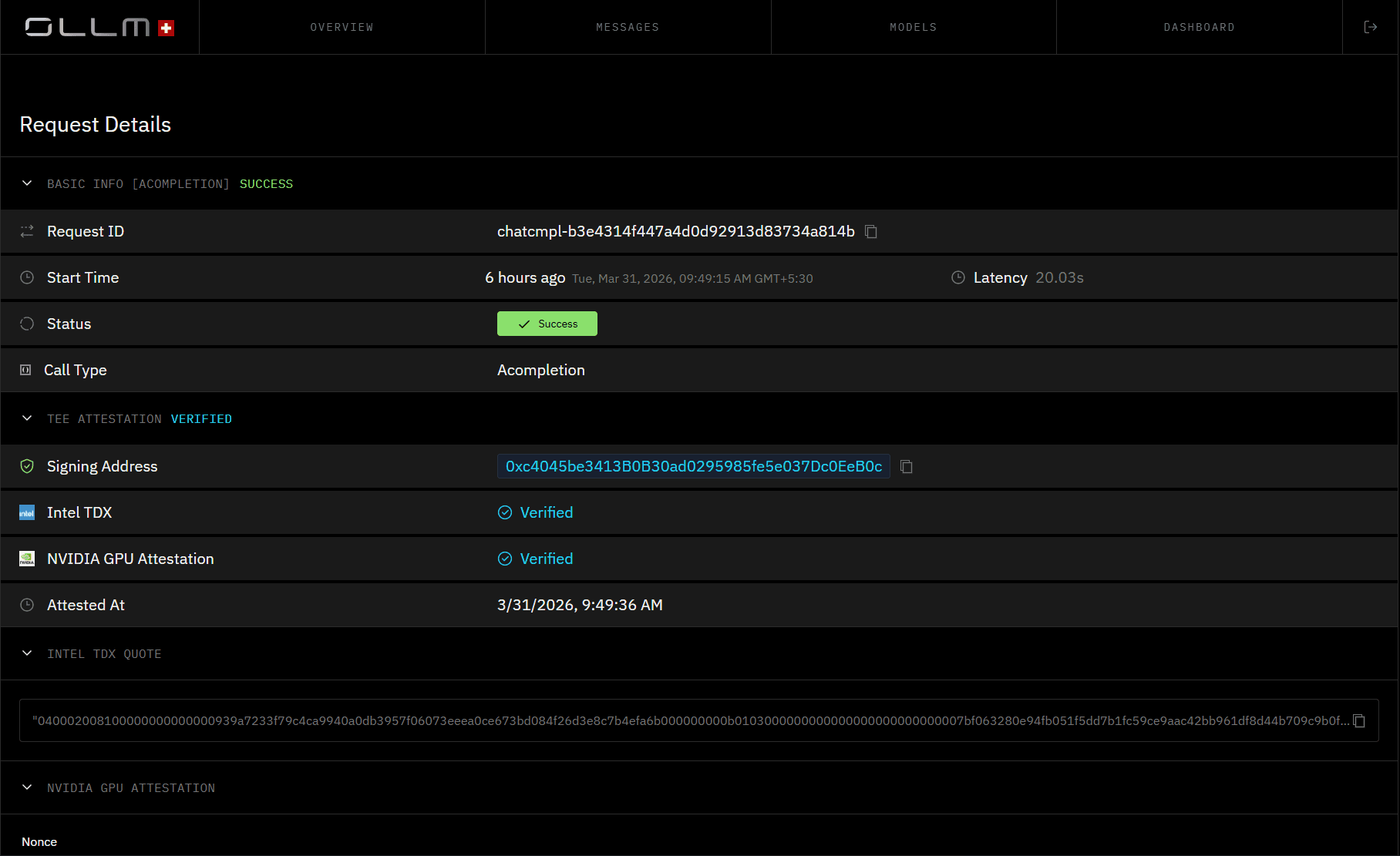
A practical example of where ORGN earns its place: a healthcare engineering team building an AI-assisted feature that processes patient records needs to ensure that no patient data leaves a controlled environment during development. In ORGN, the agent operates inside a TDX-encrypted sandbox, proposes changes across the relevant services, runs the test suite in an isolated Trial, and surfaces a pull request for human review. Nothing merges until a developer approves it. For the compliance team asking "can you prove no patient data was exposed during development?", the attestation record from the OLLM console provides a cryptographic answer rather than a policy document.
The same environment works for an individual developer. A solo engineer building a proprietary ML pipeline or a novel pricing algorithm doesn't want that logic processed on shared third-party infrastructure. In ORGN, they get hardware-level isolation and user-controlled data persistence without needing a procurement process to get started.
ORGN is powered by its proprietary OLLM technology, which routes requests either to standard LLMs for everyday work or to models running inside Trusted Execution Environments (TEEs), hardware-enforced enclaves where memory is encrypted and inaccessible to the host or any other tenant. For each confidential session, ORGN generates cryptographic attestation records that prove the workload ran inside a verified enclave.
Key features:
Selectable model security: route requests to standard models for speed, or to TEE-backed confidential compute for sensitive work, configurable per request
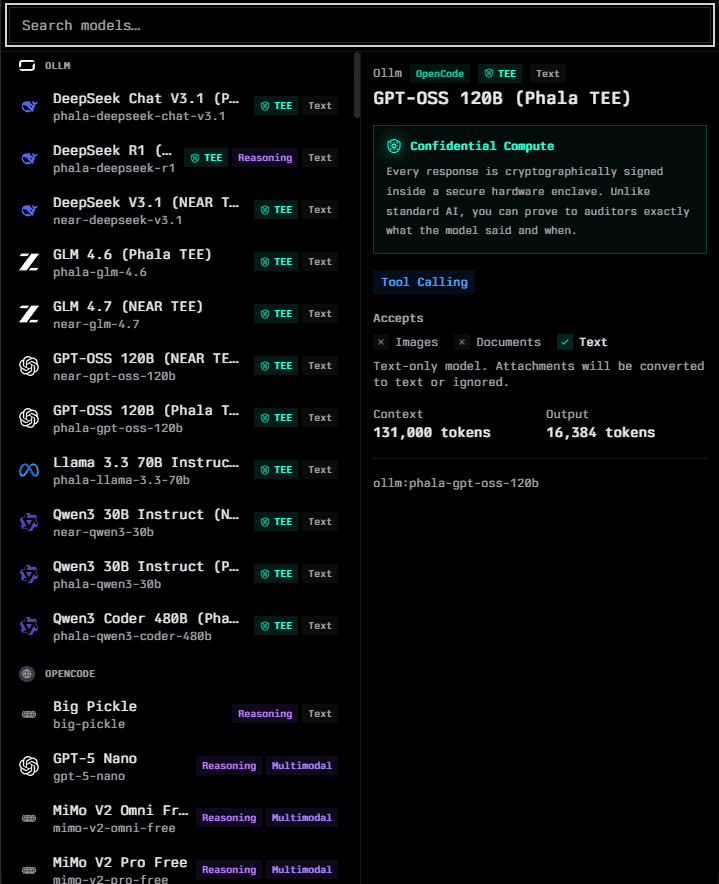
User-controlled data persistence: nothing is persisted unless the user chooses it. Worktree data follows a defined lifecycle before teardown, and users can trigger immediate teardown at any time by archiving and deleting their worktree. All data sits inside a TDX-encrypted sandbox throughout, meaning even retained data is inaccessible to anyone other than the user. For OLLM confidential models specifically, no prompts, code, or outputs are stored or used to train AI models at any point
Cryptographic attestation: every confidential session produces verifiable proof of isolation
Zero-trust agent architecture: agents authenticate with unique identities and least-privilege permissions; all interactions are authorized and observable
No training leakage: when using OLLM confidential models, no prompts, code, or outputs are used to train AI models. Models accessed via other gateways are subject to their respective provider's policies
Traceability: streaming agent reasoning, tool calls, and line-by-line file diffs are visible within the session. For OLLM confidential inference, cryptographic attestation records are generated per session and are reviewable in the OLLM console
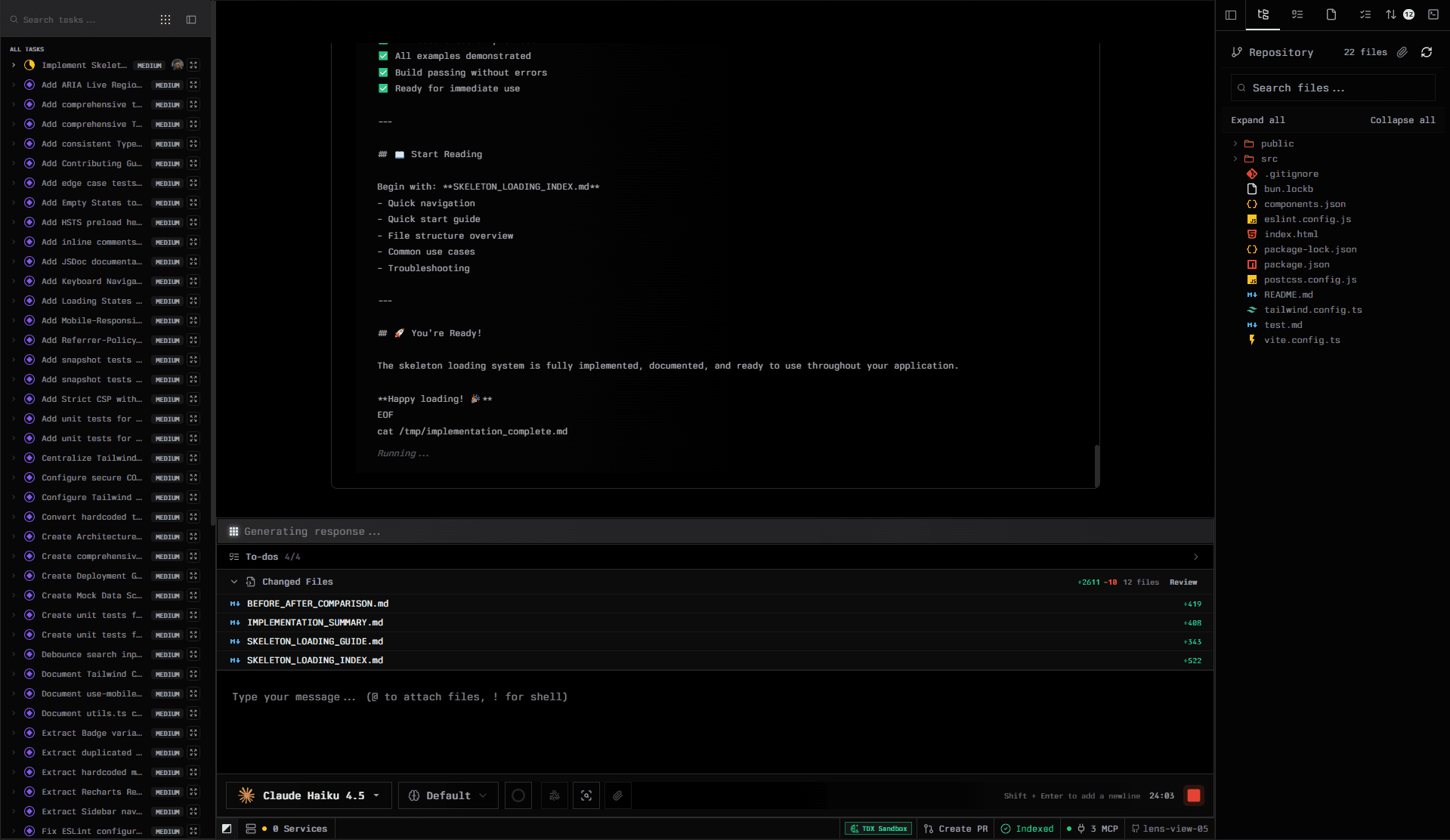
Best for: Individual developers working with proprietary or sensitive codebases who won't accept their code being processed on shared infrastructure, and regulated enterprises in finance, healthcare, legal, and defense, where cryptographic proof of execution is a hard requirement.
Limitations: TEE-backed execution and attestation apply only to OLLM confidential model paths; standard model execution does not provide the same hardware-level isolation. ORGN is a fully browser-based CDE, not an IDE plugin; developers attached to local editor configurations will need to adapt to the browser-based environment. The structured Projects → Tasks → Trials workflow is intentional for traceability but requires an onboarding period for teams coming from freeform coding tools.
Pricing: Credit-based, pay as you go. Self Serve starts from $20 in prepaid credits, no subscription, and credits never expire. Enterprise pricing available on request. Get started at orgn.com.
2. Replit: Instant, AI-First Cloud Development for Individuals and Small Teams
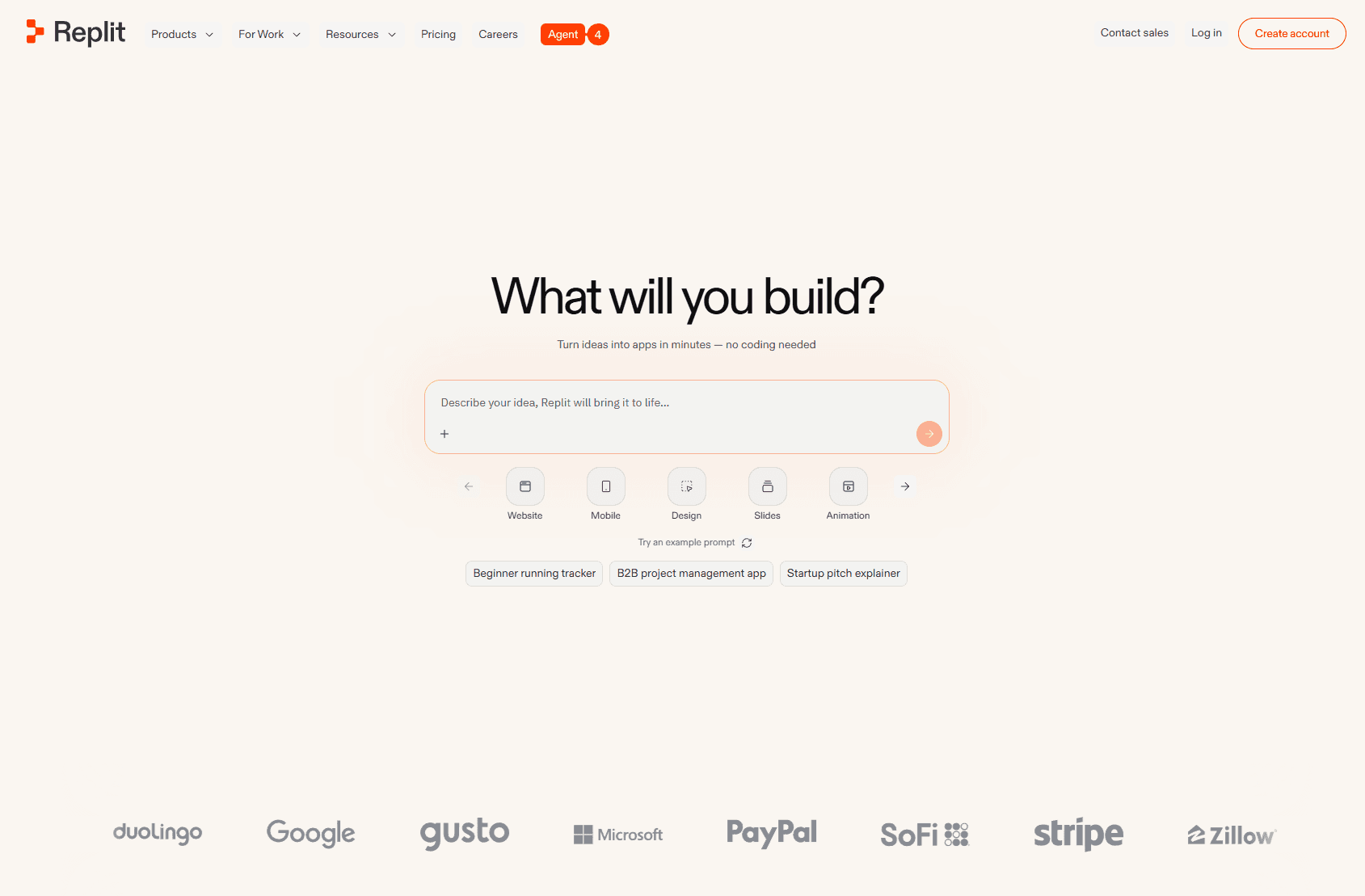
Replit is one of the most widely used browser-based development platforms in the world, with over 40 million users and a $3 billion valuation following a $250 million raise in January 2026. Its core promise has always been the same: open a browser, start coding, no local setup required. What's changed significantly in 2026 is how much of that workflow AI now handles. Replit Agent 3, the platform's autonomous coding agent, can work independently for up to 200 minutes per session, spawn subagents for specialized tasks, test and fix its own code, and deploy the result, all from a single natural language prompt.
Unlike CDEs that provide developers with a controlled environment for writing code, Replit blurs the line between a development environment and an application platform. You don't just write code in Replit; you build, host, and deploy from the same interface. For individual developers, students, and small teams that want to move from idea to a working app as quickly as possible, this integrated model removes significant friction.
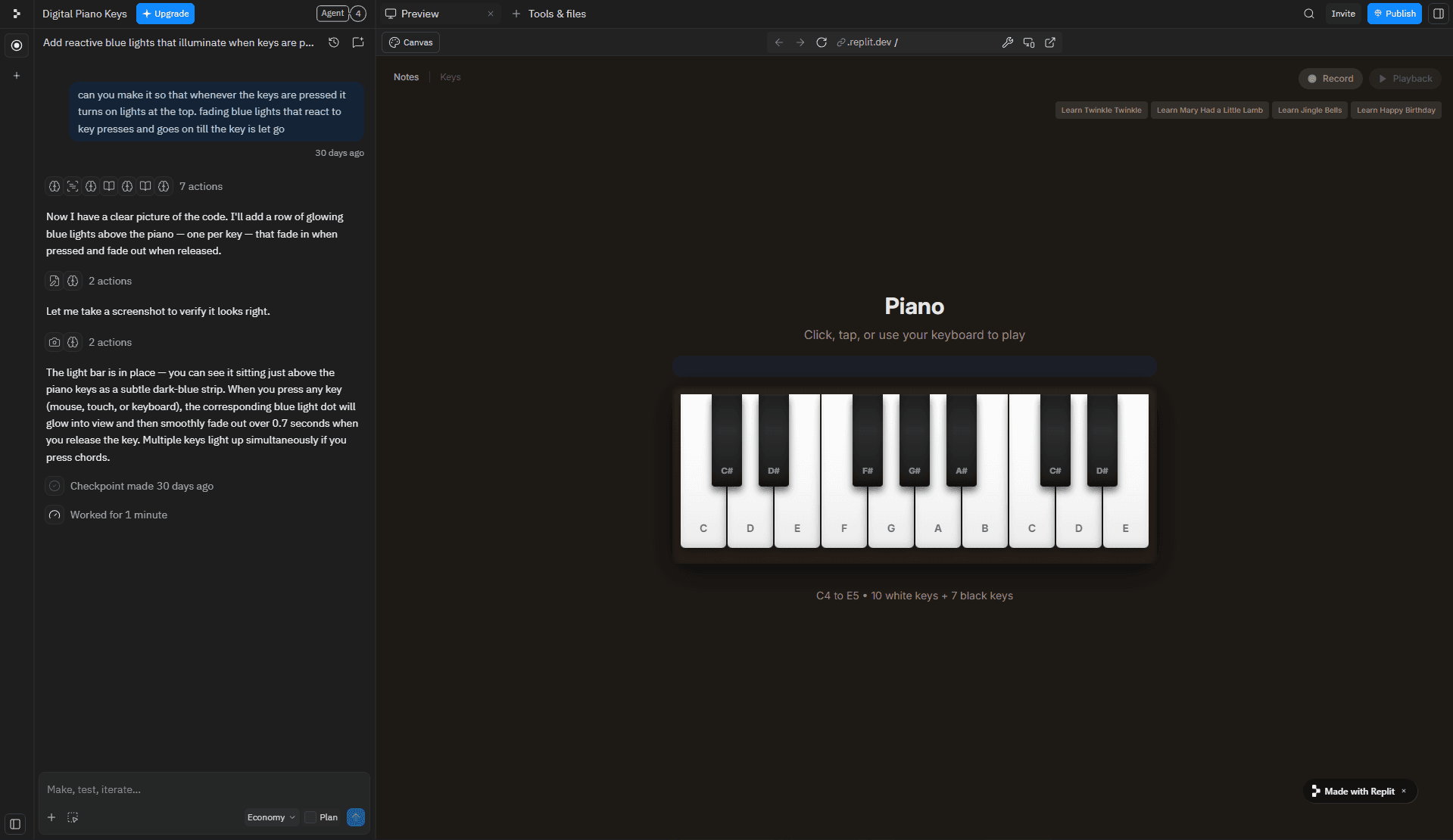
A practical example of where Replit earns its place: an indie developer wants to prototype a webhook-based Slack bot over a weekend. In Replit, they describe what they want Agent 3 to do: it scaffolds the project, sets up the Node.js environment, writes the webhook handler, and deploys it, all without the developer touching a terminal or configuring a server. What would take an afternoon of local setup and deployment configuration takes under an hour.
Key features:
Agent 3 autonomous coding: works independently for up to 200 minutes per session, with Economy, Power, and Turbo effort modes that trade cost for capability; can spawn subagents, test its own output, and iterate on failures without human intervention
Zero-setup browser IDE: supports 50+ languages with no local installation; open a project and start coding or prompting within seconds from any browser
Integrated deployment: one-click deployment for web apps, APIs, and static sites built into the same environment where you write code, no separate CI/CD configuration needed
Real-time multiplayer collaboration: multiple developers can edit, run, and debug in the same workspace simultaneously, with shared terminals and live previews
Built-in database and hosting: integrated PostgreSQL, key-value storage, and autoscale hosting remove the need to wire up external services for most prototype-level projects
Best for: Individual developers, students, founders, and small teams who want to go from idea to deployed application as fast as possible, without managing infrastructure or local environment setup. Particularly well-suited to prototyping, learning, and building lightweight production apps where speed matters more than governance.
Limitations:
Free tier projects are public by default; private projects require a paid plan, which is a meaningful constraint for anyone working on proprietary code
Credit-based pricing can be unpredictable; heavy Agent use or always-on deployments can exhaust monthly credits quickly and trigger unexpected pay-as-you-go charges
No hardware-level execution isolation or compliance controls, Replit's shared infrastructure model is not appropriate for regulated industries or teams with data residency requirements
Not designed for large-scale enterprise codebases; performance and resource limits become visible on complex, multi-service projects
Pricing: Free Starter tier available (limited to public projects). Core at $25/month ($20/month billed annually). Pro at $100/month for up to 15 builders. Enterprise pricing on request.
3. GitHub Codespaces: The Native Choice for GitHub-First Teams
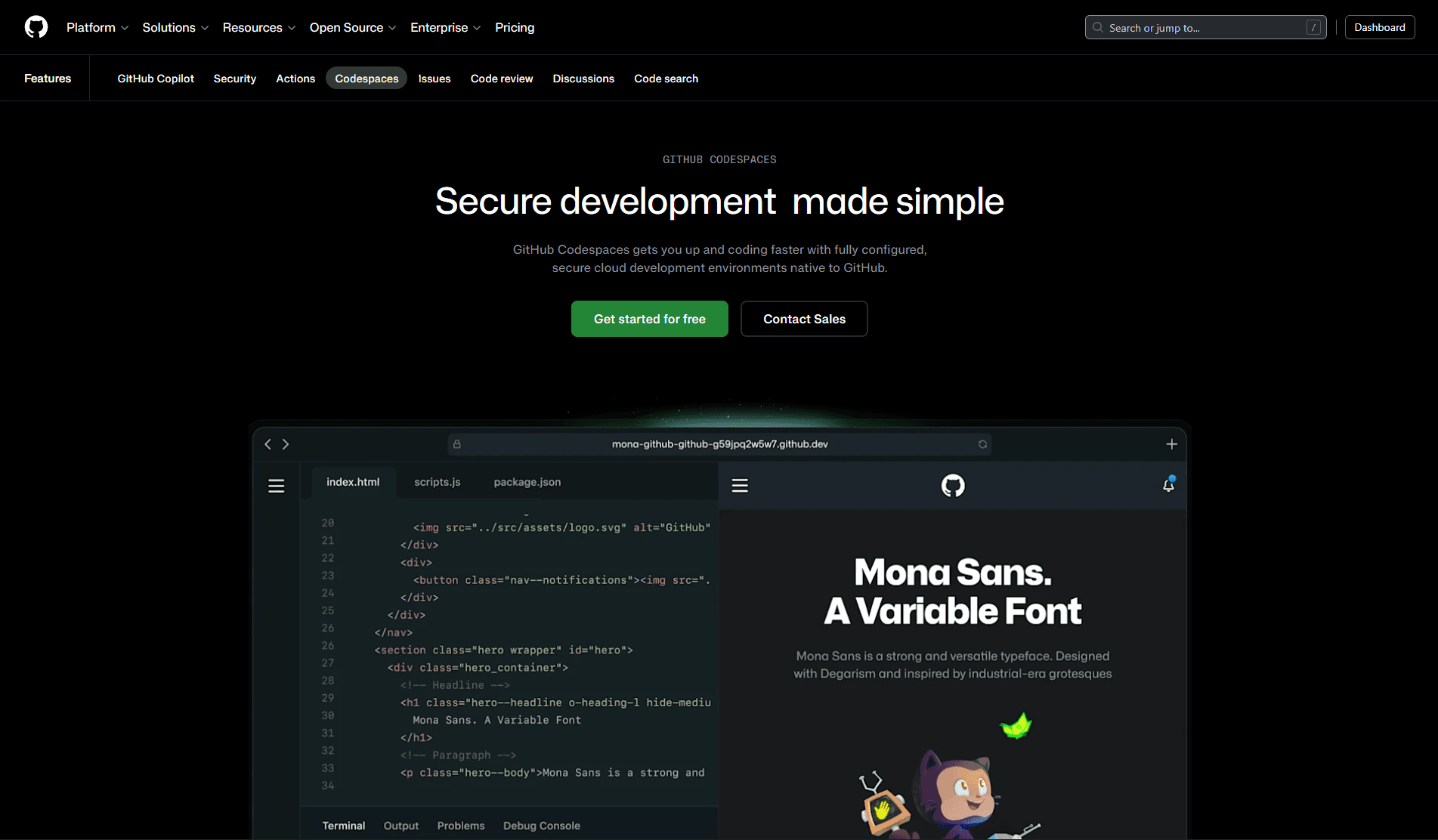
GitHub Codespaces brings cloud development directly inside the GitHub ecosystem. For teams whose entire workflow already lives in GitHub, issues, PRs, Actions, security scanning, and Codespaces removes the context switch between "where code is reviewed" and "where code is written."
Codespaces are backed by VS Code in the browser (or connectable to a local VS Code instance) and configured via devcontainer.json, the same open standard used by other CDE tools. GitHub's deep integration means features like branch-specific environments, PR previews, and Copilot are available without additional configuration.
Key features:
Deep GitHub integration: launch a Codespace directly from a PR, branch, or repository page
devcontainer.jsonconfiguration: uses the open Dev Containers standardConfigurable machine types: choose compute resources per Codespace, from 2-core to 32-core
GitHub Copilot integration: AI coding assistance is built into the environment natively
Secrets management: repository and organization-level secrets are securely injected
Port forwarding: preview running services directly in the browser
Best for: GitHub-native teams, organizations already using GitHub Actions and Copilot, and teams onboarding new contributors who need a zero-setup entry point.
Limitations: Tightly coupled to GitHub, teams on GitLab, Bitbucket, or self-hosted Git setups get a significantly reduced feature set. Compute costs scale with usage and can accumulate quickly for large teams running persistent environments. No hardware-level execution isolation or cryptographic attestation for regulated teams with strict data residency requirements.
4. Coder: Self-Hosted CDEs with Full Infrastructure Control
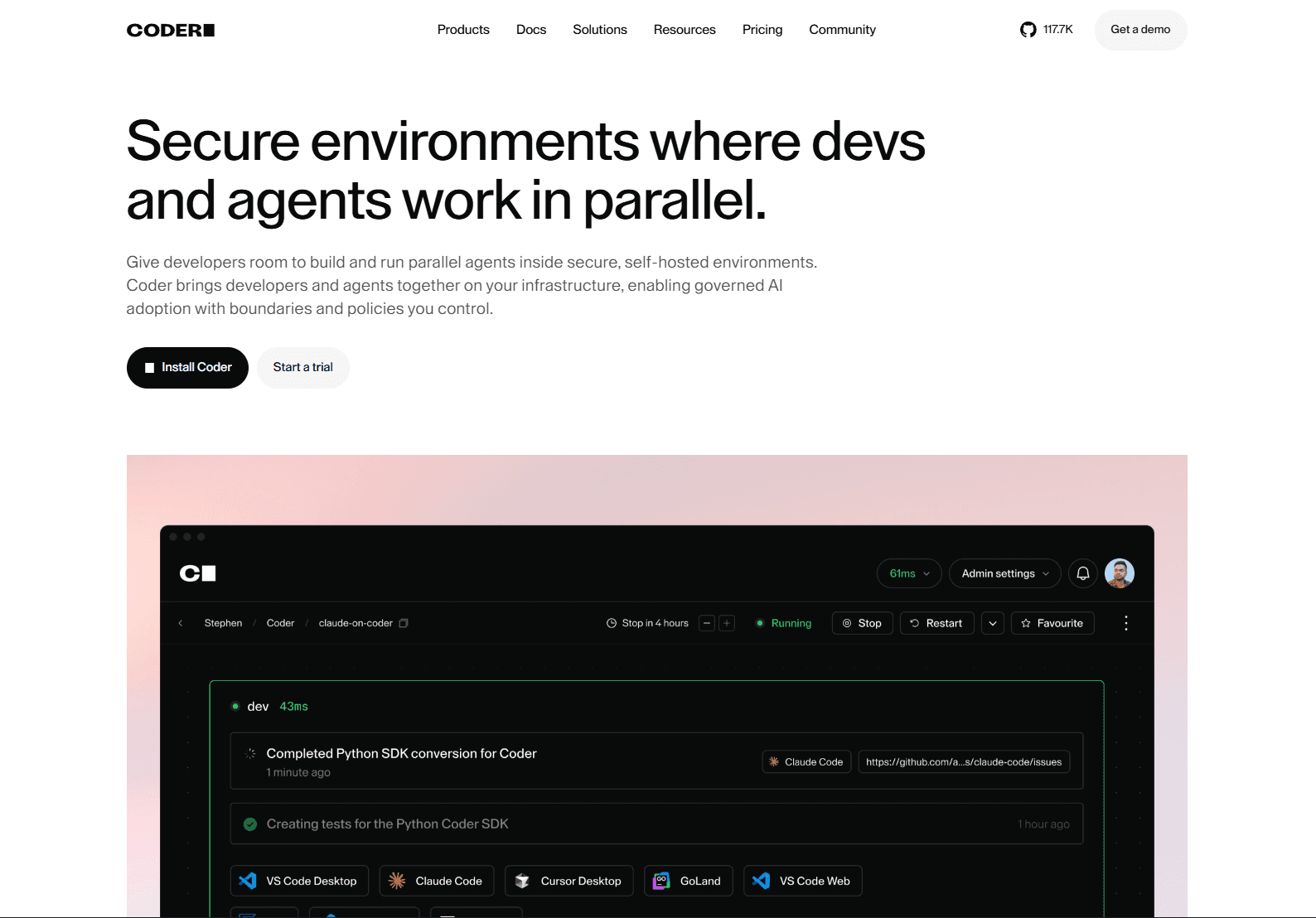
Coder takes a different architectural position from hosted CDEs: it's a platform for running cloud development environments on your own infrastructure. Coder's open-core model lets teams define workspaces using Terraform, which means any cloud provider, any VM type, and any internal resource is fair game.
For organizations with strict data residency requirements, existing cloud investments they want to leverage, or compliance needs that rule out third-party-hosted environments, Coder's self-hosted model is often the right fit. Coder doesn't tell you where to run your environments; it gives you the tooling to run them wherever you need.
Key features:
Terraform-based workspace templates: infrastructure is code; workspaces are reproducible and version-controlled
Provider-agnostic: run on AWS, GCP, Azure, on-prem, or any Kubernetes cluster
Centralized access control: manage who can create workspaces, what resources they can use, and for how long
VS Code, JetBrains, and SSH support: developers can use their preferred local editor connected to the remote environment
Audit logging: workspace creation, deletion, and access are logged
Open source core: the core platform is Apache 2.0 licensed
Best for: Enterprise teams with existing cloud infrastructure, organizations with strict data residency needs, and platform engineering teams that want full control over the developer environment stack.
Limitations: Requires significant platform engineering investment to set up and maintain Terraform templates; it's infrastructure-as-code, so someone needs to own that infrastructure. No built-in AI or agent workflows; teams must bring and integrate their own AI tooling on top. The self-hosted model means no managed cloud option if your team lacks Kubernetes expertise.
5. DevPod: Local and Cloud Dev Containers Without Vendor Lock-in
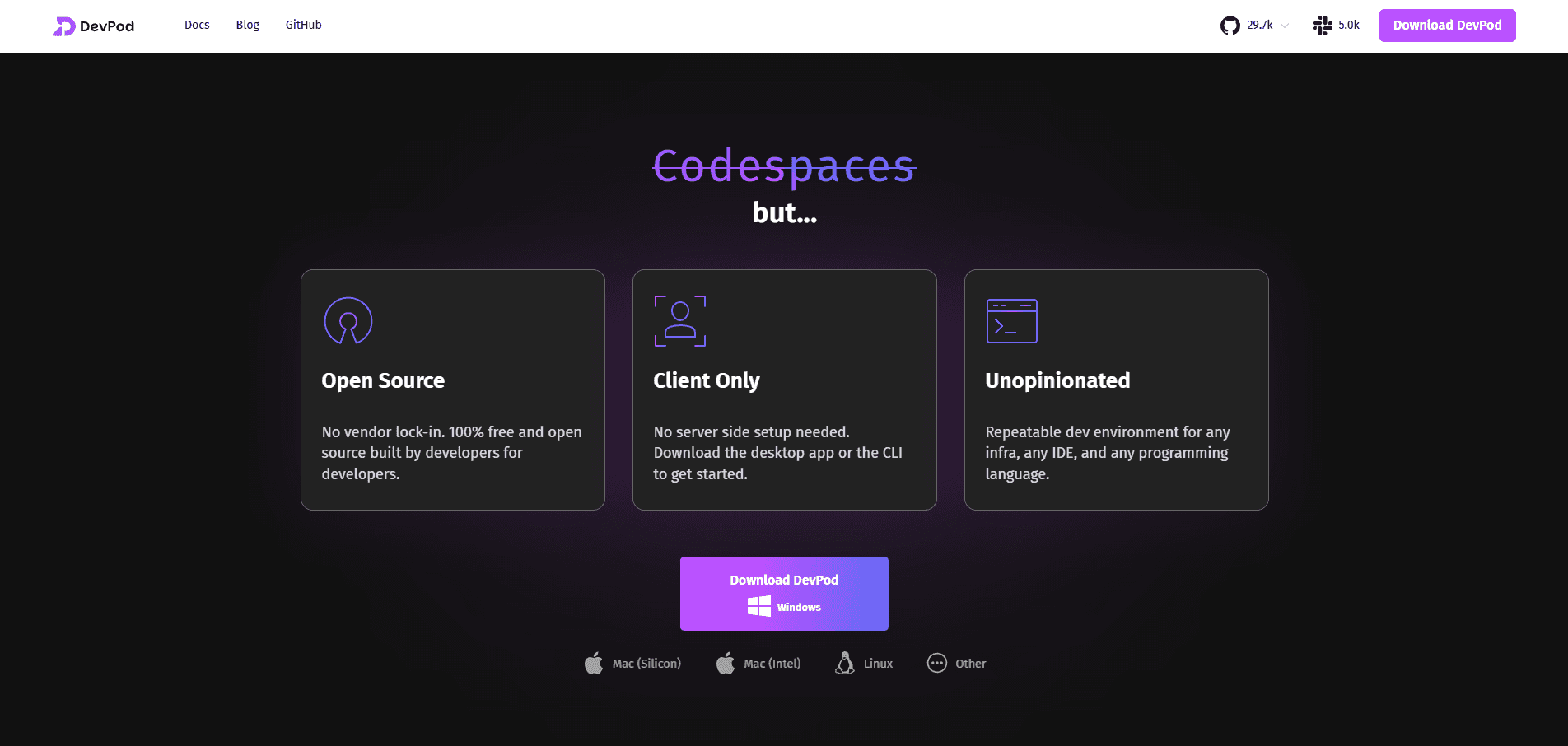
DevPod is an open-source tool from the Loft Labs team that sits at the intersection of local and cloud development. Rather than being a hosted CDE itself, DevPod is a client-side tool that provisions Dev Container-compatible environments, locally via Docker, on a remote VM, or in a cloud provider of your choice, from a single, unified interface.
The appeal of DevPod lies in its portability and freedom from vendor lock-in. Your environment is defined entirely by devcontainer.json, and DevPod can target any backend: your local machine, a cloud VM, or a Kubernetes cluster. If you want to move from local to cloud or switch providers, your environment definition travels with you unchanged.
Key features:
Backend-agnostic: runs environments locally (Docker), on cloud VMs, or on Kubernetes
devcontainer.jsonstandard: fully compatible with the open Dev Containers specNo vendor lock-in: switch providers without rewriting your environment config
Open source (Apache 2.0): no proprietary dependency; self-hostable
IDE flexibility: works with VS Code, JetBrains IDEs, and SSH-based editors
Desktop GUI + CLI: accessible to developers who prefer either interface
Best for: Developers and teams who want Dev Container portability across local and cloud, organizations wary of vendor lock-in, and platform teams building internal developer platforms on open standards.
Limitations: No hosted option, teams must manage the underlying infrastructure themselves, whether local Docker or a cloud VM. AI and agent support is essentially nonexistent; DevPod is a tool for portability in dev environments, not an agentic platform. Limited enterprise governance features compared to Coder or ORGN.
Comparing All Five CDEs Across Key Criteria
Features | ORGN | Replit | GitHub Codespaces | Coder | DevPod |
Hosting model | Cloud (hosted) | Cloud (hosted) | Cloud (GitHub-hosted) | Self-hosted | Local + any cloud |
Security model | TEE / confidential compute + attestation | Standard shared cloud infrastructure | GitHub-managed isolation | Infrastructure-defined | Docker / VM isolation |
AI/agent support | Native, agentic-first | Native: Agent 3 autonomous coding | GitHub Copilot | Limited | None built-in |
Setup speed | Instant (browser-based) | Instant (browser-based) | Fast | Depends on the template | Fast (local Docker) |
Compliance features | User-controlled persistence, TDX encryption, OLLM attestation | Enterprise tier: SOC 2, SAML SSO; no hardware isolation | GitHub org controls | Audit logs, RBAC | Self-managed |
Open source | No | No | No | Core is open source | Yes (Apache 2.0) |
Best for | Regulated / security-sensitive teams | Individual devs, students, rapid prototyping | GitHub-native teams | Self-hosted enterprise | Portable, vendor-free setups |
Conclusion: The Environment Is Now Part of the Development Architecture
The CDE conversation has shifted. It used to be about developer convenience, eliminating "works on my machine" issues, enabling remote work, and reducing onboarding friction. Those benefits are still real. But in 2026, the reason organizations are making CDE decisions is more fundamental: choosing a CDE is now a security and architecture decision, not just a developer preference.
AI agents that write and execute code need environments with the right trust boundaries. Distributed teams need consistency that local setups can't provide. Regulated industries need verifiable isolation, not policy statements.
For teams operating in high-stakes environments, where the question isn't just "is our code good?" but "can we prove what happened to it?", ORGN stands out. Its confidential compute model, cryptographic attestation, and zero-trust agent architecture are built for the moment when trusting your infrastructure isn't enough and verifying it is the only acceptable answer.
For everyone else, the right CDE depends on where you fall on the spectrum from "we want control" (Coder, DevPod) to "we want speed and integration" (Replit, GitHub Codespaces). But regardless of where you start, the direction of travel is clear: the environment where code is written is becoming as important as the code itself.
FAQ
Q1: What is OLLM, and how does it work inside ORGN's CDE?
OLLM is ORGN's proprietary model-routing layer that sits between your development environment and the underlying LLMs. Instead of sending every request to a single model endpoint, OLLM routes each request based on its sensitivity classification. Standard requests go to conventional LLM infrastructure for speed, while confidential requests are routed to models running inside Trusted Execution Environments (TEEs). The routing decision happens per-session or per-project, configurable by the team. This means a single workspace can use fast, standard inference for boilerplate generation and switch to hardware-isolated, attested inference for anything touching proprietary IP, without the developer changing their workflow.
Q2: Does OLLM prevent AI model training on proprietary code?
Yes, and it goes further than a contractual no-training clause. When OLLM routes requests through confidential compute, the code and prompts are processed inside a TEE, where memory is encrypted and inaccessible to the host infrastructure, so there is no pathway for that data to be extracted and fed into model training pipelines. For OLLM confidential model sessions specifically, no prompts, code, or outputs are stored or used to train AI models. All data within the session sits inside a TDX-encrypted sandbox, meaning even if data is retained during the worktree lifecycle, it remains encrypted and inaccessible to anyone other than the user. The protection is architectural, not just policy.
Q3: What is the difference between a CDE and a remote development environment?
A remote development environment typically means SSHing into a remote machine; your code runs elsewhere, but the setup, configuration, and maintenance are still manual and per-machine. A CDE goes further: the entire environment is defined as code (usually devcontainer.json or a similar spec), version-controlled, and reproducible. Every developer and every agent gets an identical workspace, spun up on demand. CDEs also add governance layers, access control, audit logging, and secrets management, which raw remote setups don't provide.
Q4: Can cloud development environments support agentic AI workflows without creating security risks?
They can, but only if the CDE is architected for it. The core requirements are: isolated execution (so an agent's actions are scoped to its workspace and can't affect adjacent systems), a zero-trust agent identity model (each agent authenticates with least-privilege permissions), and full observability (every tool call, file diff, and decision is logged and inspectable). CDEs that predate the agentic era often have good isolation but weak observability, making them inadequate for production agent deployments that require auditability.
Q5: How do cloud development environments handle secrets and credential management?
Secrets in CDEs are injected at runtime, not hardcoded into the environment image or committed to the repo. Most CDEs support encrypted secrets at the organization, repository, or project level, surfaced as environment variables inside the workspace. The security advantage over local development is significant: credentials never reside on a developer's laptop or traverse their home network. In more security-hardened CDEs, secrets are scoped to a session and torn down when the workspace stops, so there's no persistent credential surface for attackers to exploit.